<?xml version="1.0" encoding="UTF-8" ?>
<feed xml:lang="ja" xmlns="http://www.w3.org/2005/Atom" xmlns:dc="http://purl.org/dc/elements/1.1/" xmlns:thr="http://purl.org/syndication/thread/1.0">
  <title type="text">-----</title>
  <subtitle type="html"></subtitle>
  <link rel="self" type="application/atom+xml" href="http://jisaku.no-mania.com/atom"/>
  <link rel="alternate" type="text/html" href="http://jisaku.no-mania.com/"/>
  <updated>2016-05-22T14:50:58+09:00</updated>
  <author><name>MEKAME</name></author>
  <generator uri="//www.ninja.co.jp/blog/" version="0.9">忍者ブログ</generator>
  <atom10:link xmlns:atom10="http://www.w3.org/2005/Atom" rel="hub" href="http://pubsubhubbub.appspot.com/" />
  <entry>
    <id>jisaku.no-mania.com://entry/46</id>
    <link rel="alternate" type="text/html" href="http://jisaku.no-mania.com/other-pc/tphoto710" />
    <published>2021-07-08T00:58:59+09:00</published> 
    <updated>2021-07-08T00:58:59+09:00</updated> 
    <category term="その他PC関連" label="その他PC関連" />
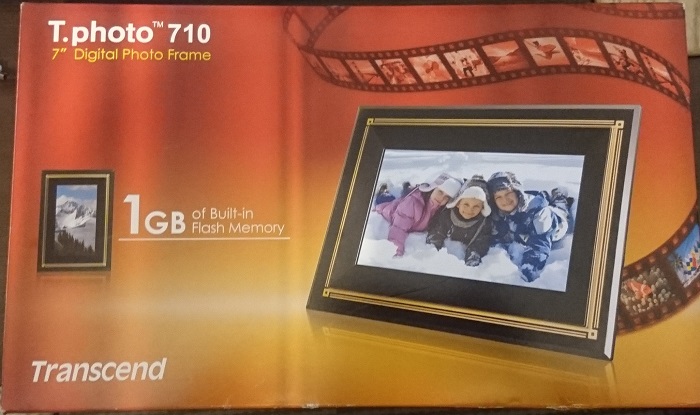
    <title>Transcend デジタルフォトフレーム T.photo 710</title>
    <content mode="escaped" type="text/html" xml:lang="utf-8"> 
      <![CDATA[Transcend製のデジタルフォトフレーム<br />
T.photo 710 1GB<br />
<img src="//jisaku.no-mania.com/File/t710-01.jpg" alt="" /><br />
<br />
<br /><br /><a href="http://jisaku.no-mania.com/other-pc/tphoto710" target="_blank">つづきはこちら</a>]]> 
    </content>
    <author>
            <name>MEKAME</name>
        </author>
  </entry>
  <entry>
    <id>jisaku.no-mania.com://entry/45</id>
    <link rel="alternate" type="text/html" href="http://jisaku.no-mania.com/other-pc/pc_lcd_panel" />
    <published>2021-01-20T23:09:14+09:00</published> 
    <updated>2021-01-20T23:09:14+09:00</updated> 
    <category term="その他PC関連" label="その他PC関連" />
    <title>PC用 液晶パネル 型番 eDP についてなど</title>
    <content mode="escaped" type="text/html" xml:lang="utf-8"> 
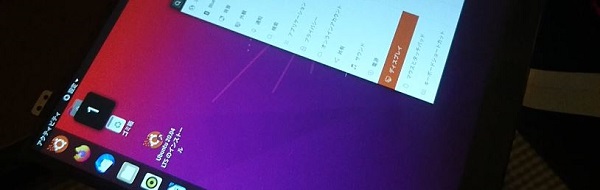
      <![CDATA[主にノートパソコン用の液晶パネルで、技術情報や、個人的に良いなと思ったものなど、メモとして残しておく。<br />
<br />
<img src="//jisaku.no-mania.com/File/pc_lcd_panel_01.JPG" alt="" /><br /><br /><a href="http://jisaku.no-mania.com/other-pc/pc_lcd_panel" target="_blank">つづきはこちら</a>]]> 
    </content>
    <author>
            <name>MEKAME</name>
        </author>
  </entry>
  <entry>
    <id>jisaku.no-mania.com://entry/44</id>
    <link rel="alternate" type="text/html" href="http://jisaku.no-mania.com/other-pc/nvme_ssd_mlc_tlc" />
    <published>2021-01-03T00:11:44+09:00</published> 
    <updated>2021-01-03T00:11:44+09:00</updated> 
    <category term="その他PC関連" label="その他PC関連" />
    <title>NVMe SSD MLC TLC あたりで手に入りそうなやつ</title>
    <content mode="escaped" type="text/html" xml:lang="utf-8"> 
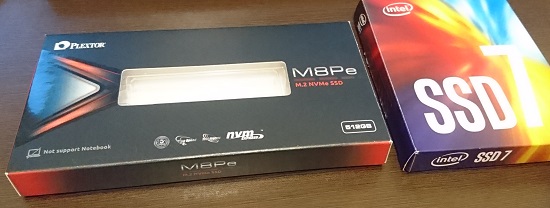
      <![CDATA[2021年現在、普通に売っているNVMeのSSDは、ハイエンドのものでTLC、それ以外のものはQLCが一般的になってきている。<br />
安いものではNVMe接続で1TBのものが１万円を切っており(※1)、それはとてもありがたいことではあるが、やはりMLCがいい！、最低でもTLC！！ ってことでヤフオクやメルカリあたりで、なんとか入手できそうなものをピックアップしてみる。<br />
<br />
※1：2021/01/03現在 Crucial&nbsp; P1 CT1000P1SSD8JP (NVMe Gen3x4 1TB) 最安値￥9,878円<br />
<br />
<img src="//jisaku.no-mania.com/File/nvme_ssd_01.jpg" alt="" /><br /><br /><a href="http://jisaku.no-mania.com/other-pc/nvme_ssd_mlc_tlc" target="_blank">つづきはこちら</a>]]> 
    </content>
    <author>
            <name>MEKAME</name>
        </author>
  </entry>
  <entry>
    <id>jisaku.no-mania.com://entry/38</id>
    <link rel="alternate" type="text/html" href="http://jisaku.no-mania.com/desktop-pc/hp_z220_sff" />
    <published>2020-07-21T18:50:57+09:00</published> 
    <updated>2020-07-21T18:50:57+09:00</updated> 
    <category term="デスクトップPC" label="デスクトップPC" />
    <title>hp Z220 SFF Workstation 紹介＆分解</title>
    <content mode="escaped" type="text/html" xml:lang="utf-8"> 
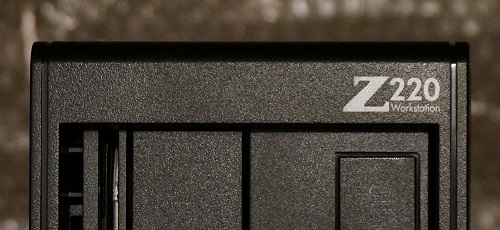
      <![CDATA[hp のワークステーション Z220 SFF の紹介と分解方法。<br />
<br />
各種資料<br />
<br />
Z220 SFF カタログ (PDF)<br />
<a href="https://jp.ext.hp.com/lib/doc/catalog/workstation/jwa12237_01.pdf" title="" target="_blank"> https://jp.ext.hp.com/lib/doc/catalog/workstation/jwa12237_01.pdf</a><br />
<br />
Z220 SFF システム構成図 (PDF)<br />
<a href="https://jp.ext.hp.com/lib/products/workstations/personal_ws/z220sff/pdfs/spec_z220sff.pdf" title="" target="_blank">https://jp.ext.hp.com/lib/products/workstations/personal_ws/z220sff/pdfs/spec_z220sff.pdf</a><br />
<br />
Z220 SFF 仕様書 (PDF)<br />
<a href="https://jp.ext.hp.com/lib/products/workstations/personal_ws/z220sff/pdfs/hp_z220sff_quickspecs_v1_j.pdf" title="" target="_blank">https://jp.ext.hp.com/lib/products/workstations/personal_ws/z220sff/pdfs/hp_z220sff_quickspecs_v1_j.pdf</a><br />
<br />
<img src="//jisaku.no-mania.com/File/z220sff_02.JPG" alt="" /><br /><br /><a href="http://jisaku.no-mania.com/desktop-pc/hp_z220_sff" target="_blank">つづきはこちら</a>]]> 
    </content>
    <author>
            <name>MEKAME</name>
        </author>
  </entry>
  <entry>
    <id>jisaku.no-mania.com://entry/37</id>
    <link rel="alternate" type="text/html" href="http://jisaku.no-mania.com/desktop-pc/hp_z620" />
    <published>2020-07-21T17:57:28+09:00</published> 
    <updated>2020-07-21T17:57:28+09:00</updated> 
    <category term="デスクトップPC" label="デスクトップPC" />
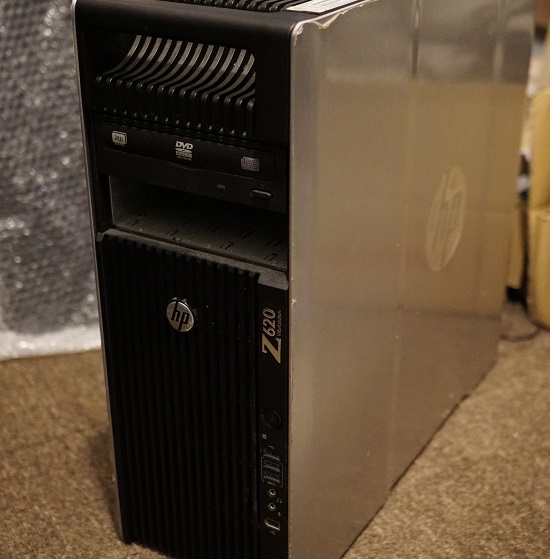
    <title>hp Z620 Workstation 紹介＆分解</title>
    <content mode="escaped" type="text/html" xml:lang="utf-8"> 
      <![CDATA[hp のワークステーション Z620 の紹介と分解方法。<br />
<br />
各種資料<br />
<br />
Z620 カタログ (PDF)<br />
<a href="https://jp.ext.hp.com/lib/doc/catalog/workstation/Z620_0402.pdf" title="" target="_blank">https://jp.ext.hp.com/lib/doc/catalog/workstation/Z620_0402.pdf</a><br />
<br />
Z620 仕様書 (PDF)<br />
<a href="https://jp.ext.hp.com/lib/products/workstations/personal_ws/z620/pdfs/z620_qs_rev2.pdf" title="" target="_blank">https://jp.ext.hp.com/lib/products/workstations/personal_ws/z620/pdfs/z620_qs_rev2.pdf</a><br />
<br />
<img src="//jisaku.no-mania.com/File/z620_01.JPG" alt="" /> <br />
<br />
<br /><br /><a href="http://jisaku.no-mania.com/desktop-pc/hp_z620" target="_blank">つづきはこちら</a>]]> 
    </content>
    <author>
            <name>MEKAME</name>
        </author>
  </entry>
  <entry>
    <id>jisaku.no-mania.com://entry/32</id>
    <link rel="alternate" type="text/html" href="http://jisaku.no-mania.com/electr/arduino_boot_writer" />
    <published>2020-04-09T19:24:39+09:00</published> 
    <updated>2020-04-09T19:24:39+09:00</updated> 
    <category term="電子工作・回路関連" label="電子工作・回路関連" />
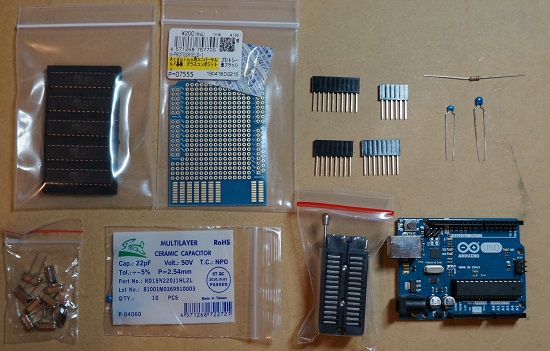
    <title>Arduino ブートローダ 書き込み方法 ATMEGA328P-PU 書き込み器作成</title>
    <content mode="escaped" type="text/html" xml:lang="utf-8"> 
      <![CDATA[とある件でArduinoを大量に使用することになった。<br />
その時ブートローダ書き込み器を作成したのでその記録。<br />
なお、このようなブートローダ書き込みシールドは何種類か売っているようなので、自分で作りたいって人以外は買ったほうが良いと思う。<br />
<img src="//jisaku.no-mania.com/File/arduino_wr_01.jpg" alt="" /><br /><br /><a href="http://jisaku.no-mania.com/electr/arduino_boot_writer" target="_blank">つづきはこちら</a>]]> 
    </content>
    <author>
            <name>MEKAME</name>
        </author>
  </entry>
  <entry>
    <id>jisaku.no-mania.com://entry/30</id>
    <link rel="alternate" type="text/html" href="http://jisaku.no-mania.com/repair/walkman_nw-f886_sp" />
    <published>2020-04-09T02:46:11+09:00</published> 
    <updated>2020-04-09T02:46:11+09:00</updated> 
    <category term="修理・改造関連" label="修理・改造関連" />
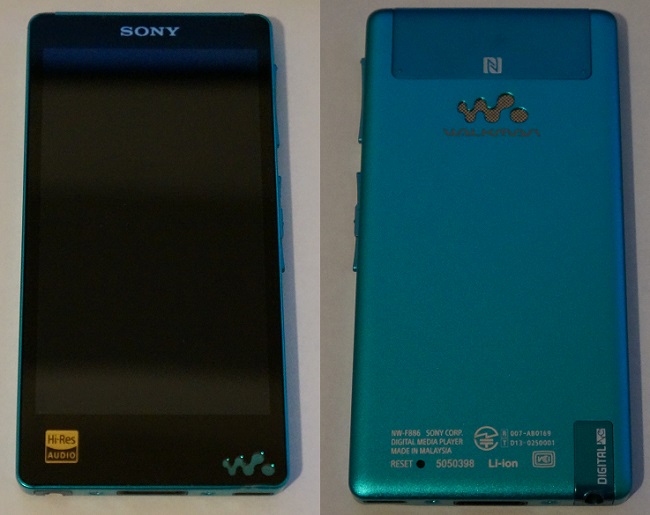
    <title>WALKMAN NW-F886 分解 スピーカー取り外し</title>
    <content mode="escaped" type="text/html" xml:lang="utf-8"> 
      <![CDATA[WALKMAN NW-F886 にはスピーカーが搭載されており、不意にスピーカーから音が出てしまうことがあった。<br />
スピーカーを使用することが今後も無いと判断したため、スピーカーから音を出なくすることにした。<br />
※NW-F880シリーズ (F887, F886, F885) なら、分解方法は全て同じはず。<br />
<br />
<img src="//jisaku.no-mania.com/File/wm_f880_ana_01.jpg" alt="" /><br /><br /><a href="http://jisaku.no-mania.com/repair/walkman_nw-f886_sp" target="_blank">つづきはこちら</a>]]> 
    </content>
    <author>
            <name>MEKAME</name>
        </author>
  </entry>
  <entry>
    <id>jisaku.no-mania.com://entry/26</id>
    <link rel="alternate" type="text/html" href="http://jisaku.no-mania.com/laptop-pc/zbook_14u_g5" />
    <published>2020-02-15T13:30:32+09:00</published> 
    <updated>2020-02-15T13:30:32+09:00</updated> 
    <category term="ラップトップPC (ノートPC)" label="ラップトップPC (ノートPC)" />
    <title>ZBook 14u G5 紹介＆分解</title>
    <content mode="escaped" type="text/html" xml:lang="utf-8"> 
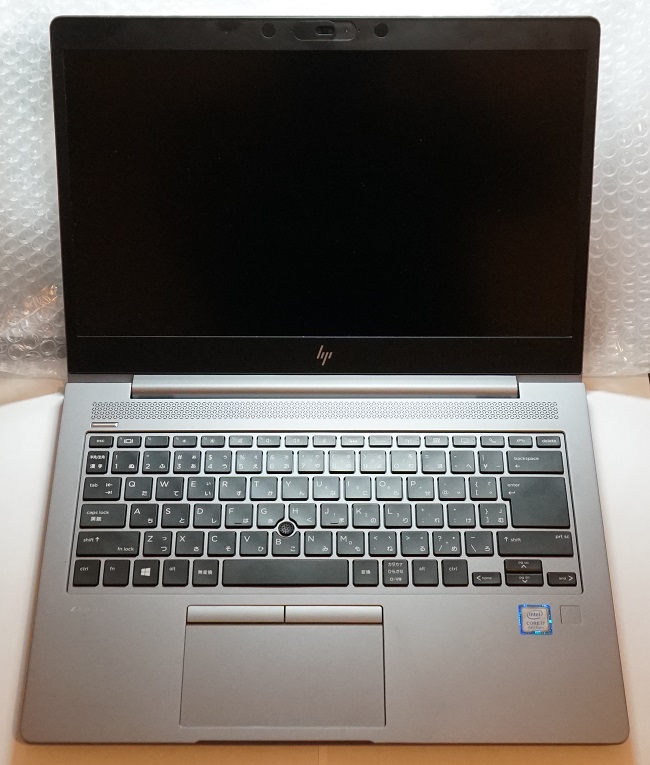
      <![CDATA[HPのモバイルワークステーション ZBook 14u G5 の紹介と分解方法。<br />
<br />
各種資料<br />
HP ZBook 14u G5 Mobile Workstation モデル別構成表<br />
<a href="https://jp.ext.hp.com/workstations/zbook14g5/pdf/datasheet_zbook14u_g5.pdf" title="" target="_blank">https://jp.ext.hp.com/workstations/zbook14g5/pdf/datasheet_zbook14u_g5.pdf</a><br />
<br />
HP ZBook 14u G5 Mobile Workstation システム構成図<br />
<a href="https://jp.ext.hp.com/lib/jp/ja/products/workstations/zbook14u_g5.pdf" title="" target="_blank">https://jp.ext.hp.com/lib/jp/ja/products/workstations/zbook14u_g5.pdf</a><br />
<br />
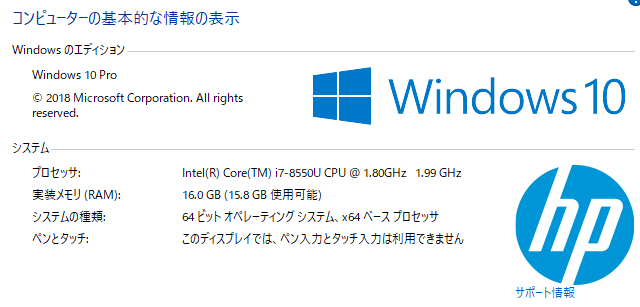
本機のシステム情報<br />
<img src="//jisaku.no-mania.com/File/zbook14u_g5_01.PNG" alt="" /> <br />
<img src="//jisaku.no-mania.com/File/zbook14u_g5_02.jpg" alt="" /><br /><br /><a href="http://jisaku.no-mania.com/laptop-pc/zbook_14u_g5" target="_blank">つづきはこちら</a>]]> 
    </content>
    <author>
            <name>MEKAME</name>
        </author>
  </entry>
  <entry>
    <id>jisaku.no-mania.com://entry/24</id>
    <link rel="alternate" type="text/html" href="http://jisaku.no-mania.com/laptop-pc/zbook-studio-g3" />
    <published>2020-02-15T11:08:07+09:00</published> 
    <updated>2020-02-15T11:08:07+09:00</updated> 
    <category term="ラップトップPC (ノートPC)" label="ラップトップPC (ノートPC)" />
    <title>ZBook Studio G3 紹介＆分解</title>
    <content mode="escaped" type="text/html" xml:lang="utf-8"> 
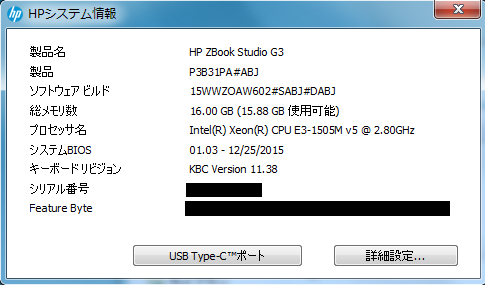
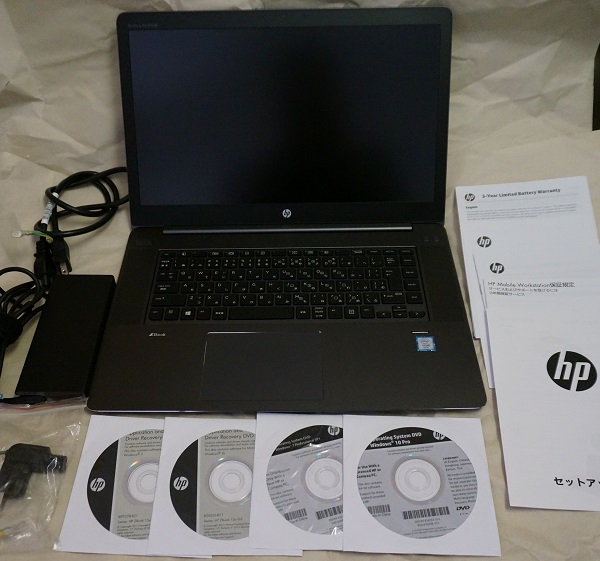
      <![CDATA[HPのモバイルワークステーション ZBook Studio G3 の紹介と分解方法。<br />
<br />
各種資料<br />
HP ZBook Studio G3 Mobile Workstation システム構成図<br />
<a href="https://jp.ext.hp.com/lib/jp/ja/products/workstations/zbookstudiog3.pdf" title="" target="_blank">https://jp.ext.hp.com/lib/jp/ja/products/workstations/zbookstudiog3.pdf</a><br />
<br />
HP ZBook Studio G3 Mobile Workstation 解説書<br />
<a href="https://jp.ext.hp.com/lib/jp/ja/products/workstations/hp_zbook_g3_workstation.pdf" title="" target="_blank">https://jp.ext.hp.com/lib/jp/ja/products/workstations/hp_zbook_g3_workstation.pdf</a><br />
<br />
本機のシステム情報<br />
<img src="//jisaku.no-mania.com/File/zbook-studio-g3_21.PNG" alt="" /> <br />
<br />
<img src="//jisaku.no-mania.com/File/zbook-studio-g3_01.jpg" alt="" /><br /><br /><a href="http://jisaku.no-mania.com/laptop-pc/zbook-studio-g3" target="_blank">つづきはこちら</a>]]> 
    </content>
    <author>
            <name>MEKAME</name>
        </author>
  </entry>
  <entry>
    <id>jisaku.no-mania.com://entry/16</id>
    <link rel="alternate" type="text/html" href="http://jisaku.no-mania.com/other-pc/10g-hub-ehb-ut2a08f" />
    <published>2019-12-02T19:20:03+09:00</published> 
    <updated>2019-12-02T19:20:03+09:00</updated> 
    <category term="その他PC関連" label="その他PC関連" />
    <title>ELECOM EHB-UT2A08F 10Gbps 8ポート HUB</title>
    <content mode="escaped" type="text/html" xml:lang="utf-8"> 
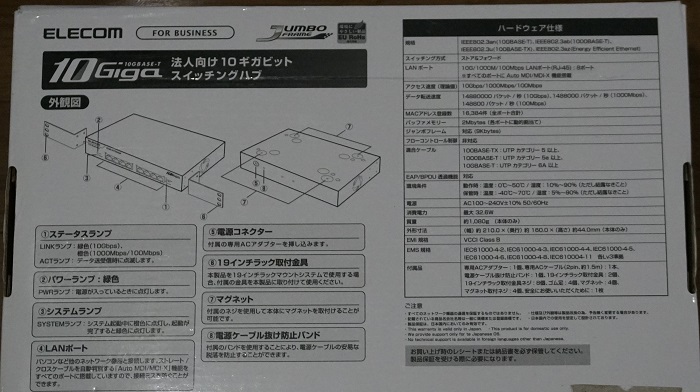
      <![CDATA[前に10Gbpsの4ポートHUB導入を導入したが、ポート数が足りなくなり、特に不満がなかったので同機種の8ポート版を購入。<br />
<br />
前の4ポート版購入時の記事<br />
<a href="http://jisaku.no-mania.com/other-pc/10g-hub-ehb-ut2a04f" title="" target="_blank">ELECOM EHB-UT2A04F 10Gbps HUB 購入</a><br />
<br />
メーカーページ<br />
<a href="https://www.elecom.co.jp/products/EHB-UT2A08F.html" title="" target="_blank">https://www.elecom.co.jp/products/EHB-UT2A08F.html</a><br />
<br />
<img src="//jisaku.no-mania.com/File/10g_hub8_01.jpg" alt="" /><br /><br /><a href="http://jisaku.no-mania.com/other-pc/10g-hub-ehb-ut2a08f" target="_blank">つづきはこちら</a>]]> 
    </content>
    <author>
            <name>MEKAME</name>
        </author>
  </entry>
</feed>